
APPENDIX D
Screens Walkthrough
One screen at a time on the paper plate with corner brackets; step by the dots, the buttons, or the arrow keys. Driven by the Flow Chart above it.
- HANDLE
- screens-walkthrough
- LIVES IN
- src/components/ProjectArtifacts.jsx (ScreensWalkthrough)
- USED ON
- Chapters with a flow and screens
- PROPS
- screens · activeStep · onStepSelect · flow
EXAMPLE
LIVEAs it renders.
¶ WALKTHROUGHSTEP 01 OF 06
←→to step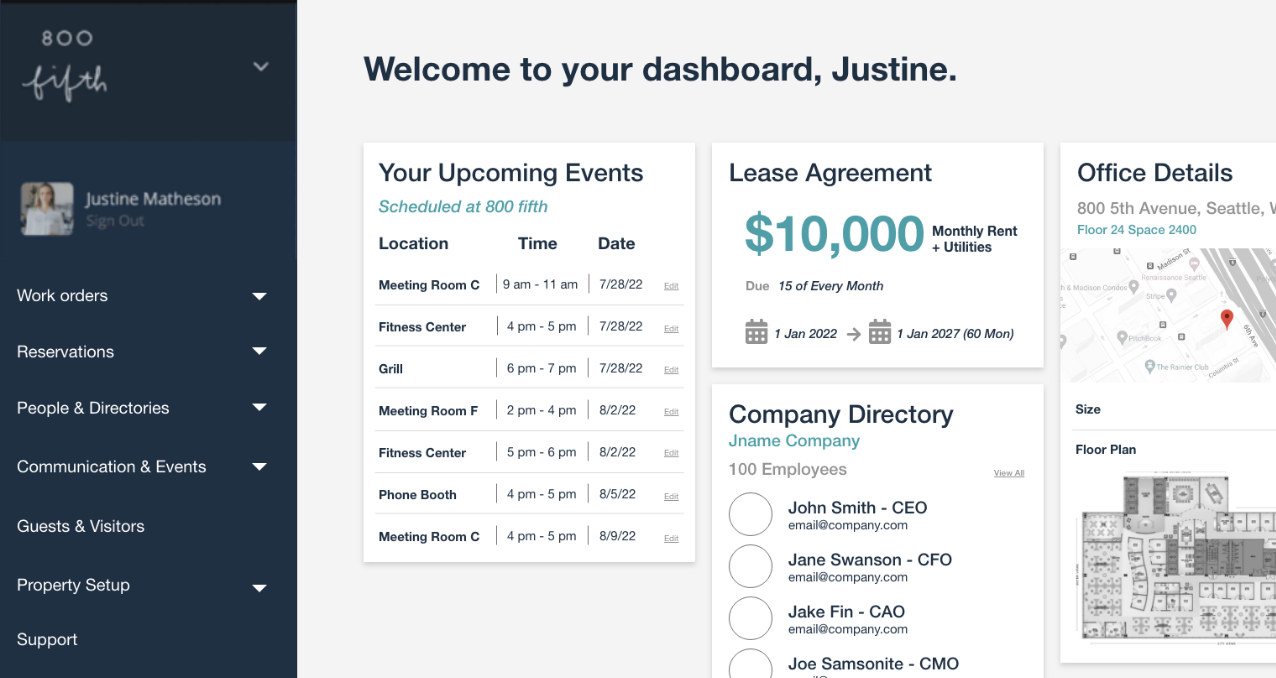
CODE
COPY AND PASTEHow it is called.
JSX
import { ScreensWalkthrough } from '../components/ProjectArtifacts.jsx'

const [step, setStep] = useState(0)
<FlowChart steps={flow} activeStep={step} onStepSelect={setStep} />
<ScreensWalkthrough screens={project.screens} activeStep={step} onStepSelect={setStep} flow={flow} />
RULES
What must stay true.
One screen at a time on the paper plate with corner brackets; step by the dots, the buttons, or the arrow keys. Driven by the Flow Chart above it.