
I’m a designer who learned to build.
20+ years across brand, product design, and frontend. Today that is product UI, design systems, and the newest part of the job: how people work with AI and agents.
I take on work where craft and outcomes both matter.
- role · UX/UI Design Team Lead @Supplyframe, a Siemens company
- based · Los Angeles · Hybrid · Remote
- pronouns · he/him
- open to · Leading teams in product design, design systems, and design engineering
Where should we pull from?
This is the bank account associated with your loan. To change it, contact Customer Service.
Need to change accounts? Call Customer Service before scheduling a payment.
Agents people can trust.
An agent is automation you set up once and let run on its own. Point it at a stream of incoming work and it flags the risky items, sorts and routes them, or follows up with someone who has gone quiet.
The hard part was never the automation. It was the screens people use to set it up. The people configuring these agents are everyday professionals, not engineers, and because an agent acts on its own, a setup screen they can’t read is a trust problem. If someone can’t tell what their agent will do, they won’t turn it on. That is the problem I design against.
Tell it what you want, in your own words:
Six principles sit under it. None of them is about the model being clever. They are about the product being honest and legible.
- One word for one thing
Everything the agent follows is an “instruction”, never a rule, task, step, or workflow. I locked the vocabulary across the whole feature, because switching terms is how people lose the thread on an already abstract idea.
- Nothing’s live until it’s accepted
Every instruction, goal, and change arrives as a proposal with a button. The system says what it will do, never what it has done. On something that runs autonomously, that gap between proposed and live is the entire basis of control.
- The toolbox, not a checklist
An agent’s capabilities are framed as a kit it was given, not a list of everything it wasn’t forbidden. A wall of pre-ticked checkboxes becomes a legible “here’s what this can do,” and granting a new power becomes deliberate.
- Honest refusal over silent failure
When someone asks for something the product can’t do, it says so plainly and offers the nearest real thing. It never quietly maps the request onto the closest available tool.
- Choices you can picture
When the agent offers options, they’re built from the user’s own tags, statuses, and fields: “tag it High Risk when the risk score is 80 or above,” not a vague “tagging.” You see the outcome before you commit to it.
- State you can read
A configured agent describes itself back in plain language, and a review pass reveals dead weight, conflicting instructions, and gaps, so people catch problems they’d otherwise never notice.
Seven chapters, in order.
- 01Three Eras of Sourcingsupplyframe · dsi
Seven ranked price sources, one costing module, three eras · now the most actively developed area of the platform
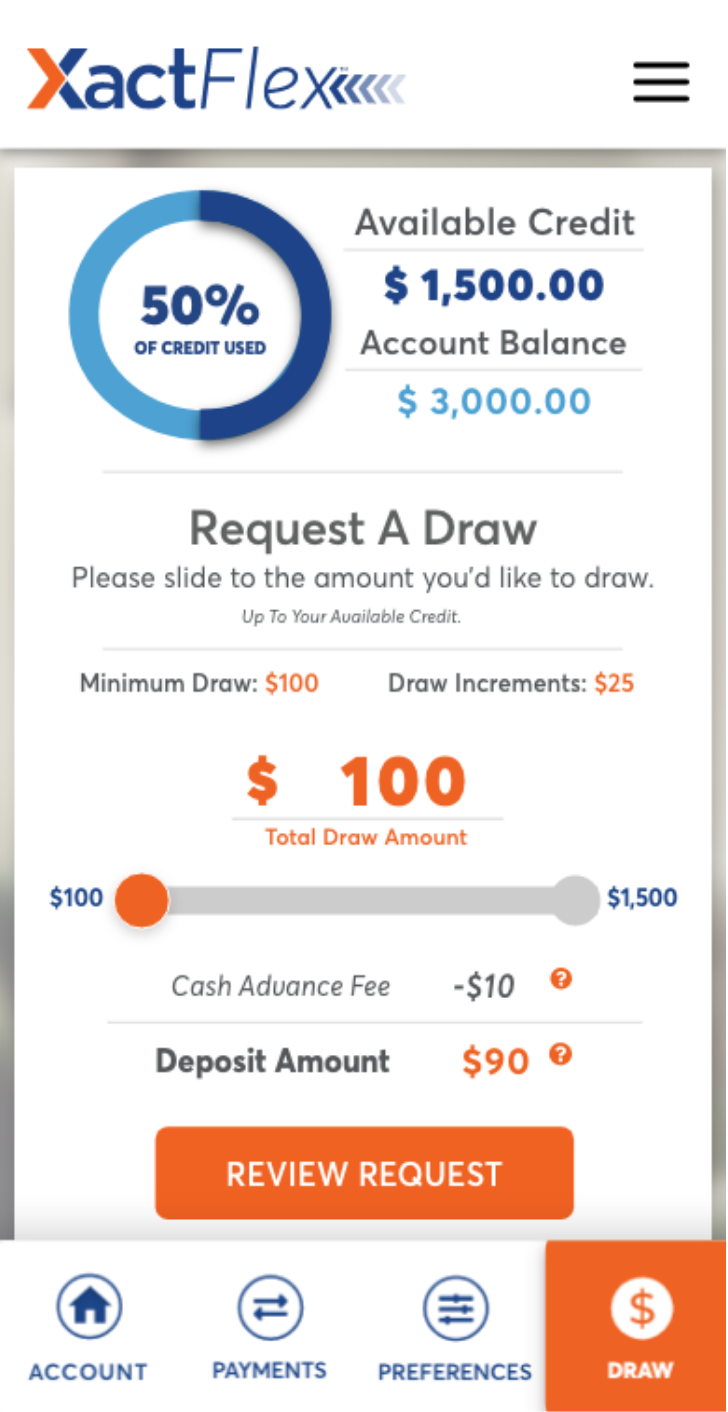
- 02XactFlexxactflex
~90s draw decisions · 38% fewer payment-status support calls
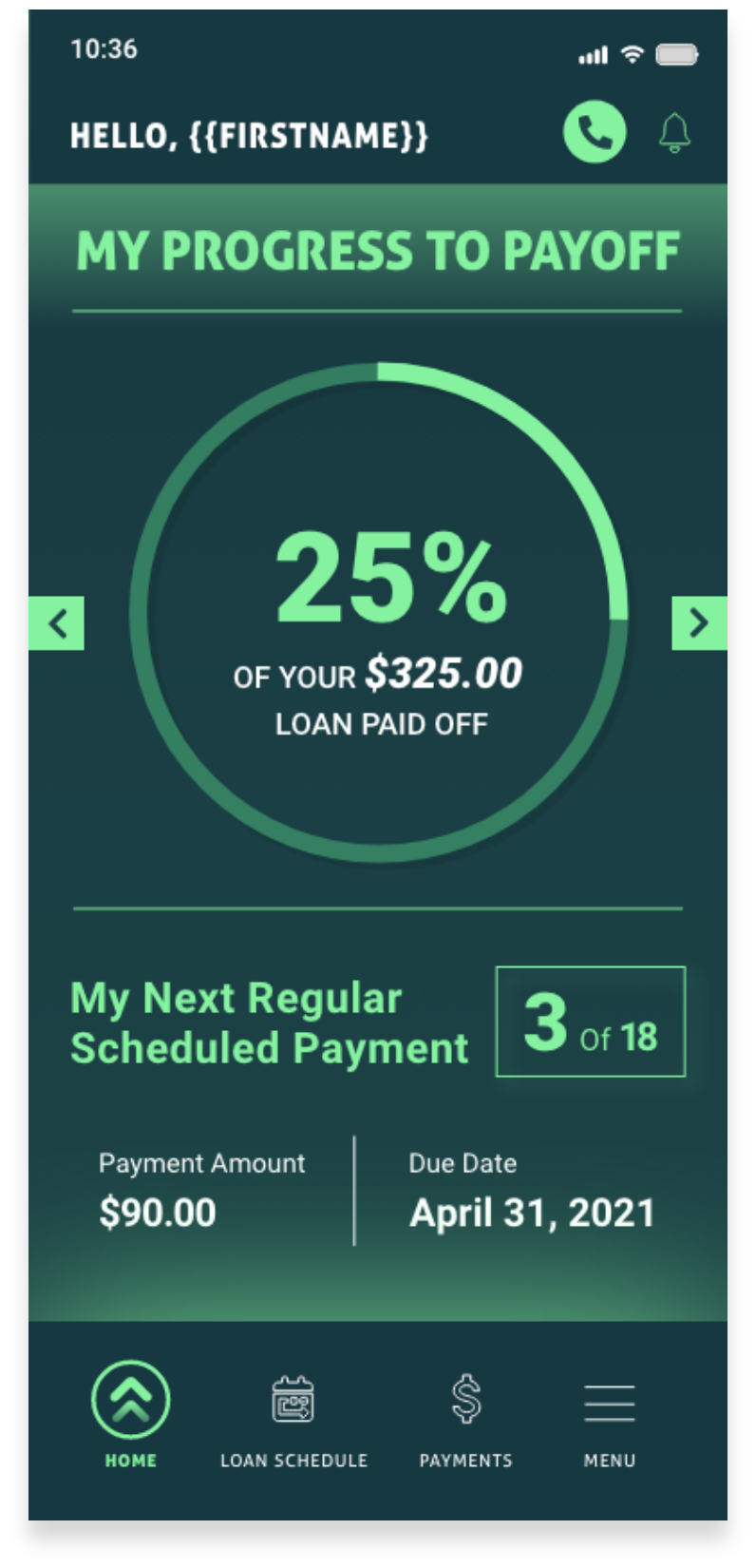
- 03Mobile Applevel up funding · maxlend
Two apps launched in parallel on one 12-component library
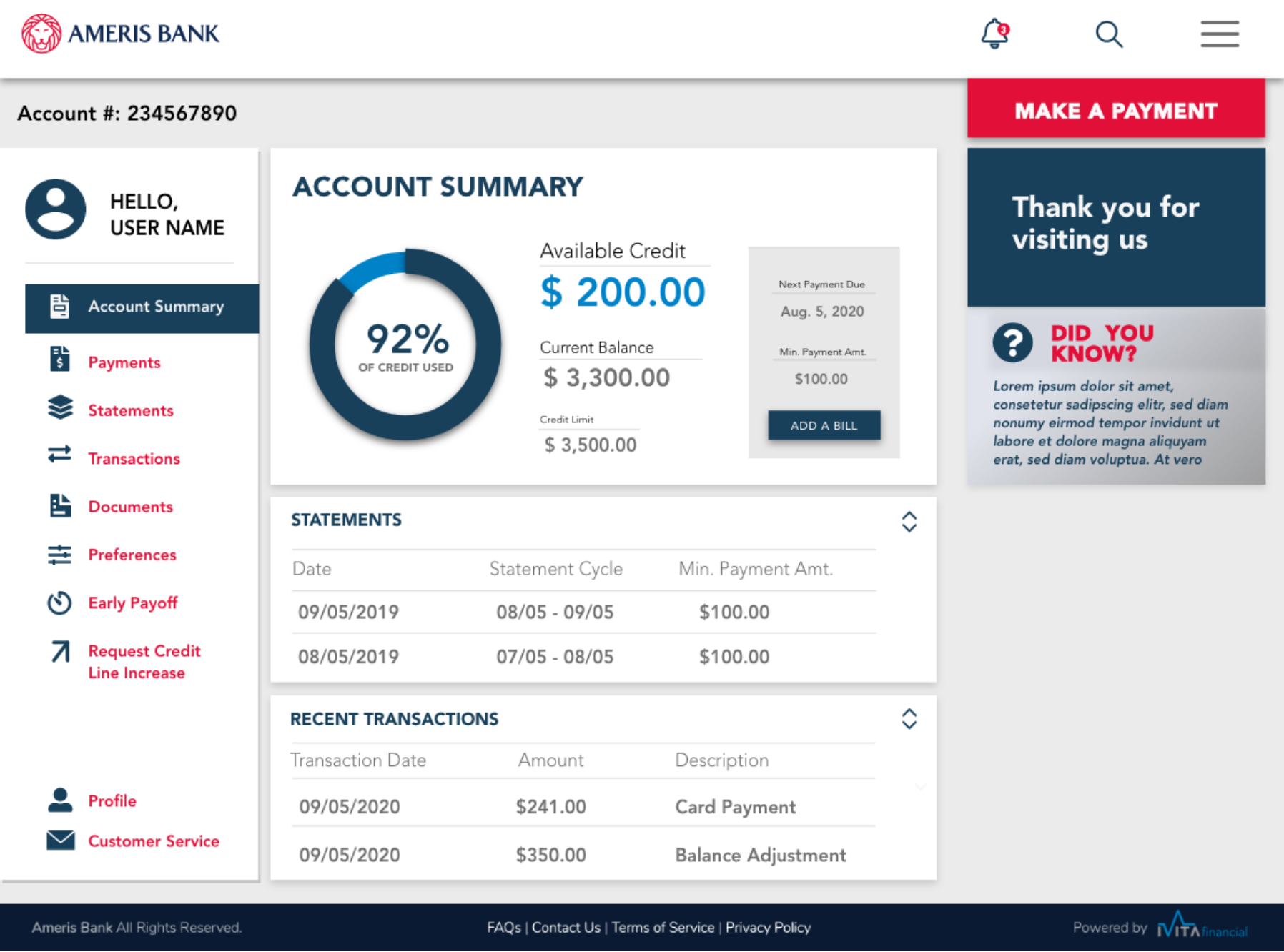
- 04Account Dashboardsxactflex · ameris bank · maxlend
41% fewer statement-export tickets at Ameris · three brands, one grammar
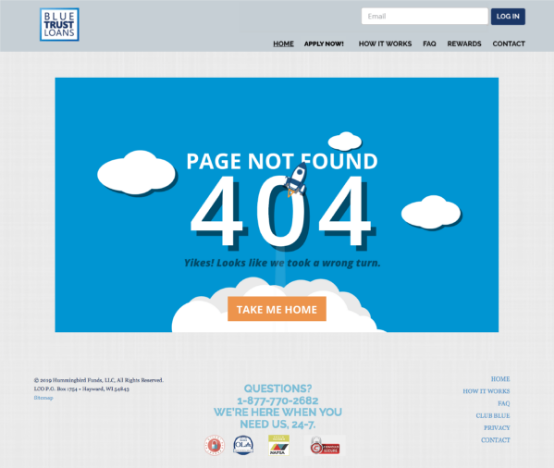
- 05Error Pagesblue trust loans · maxlend
Both 404s ship as production defaults, static and animated
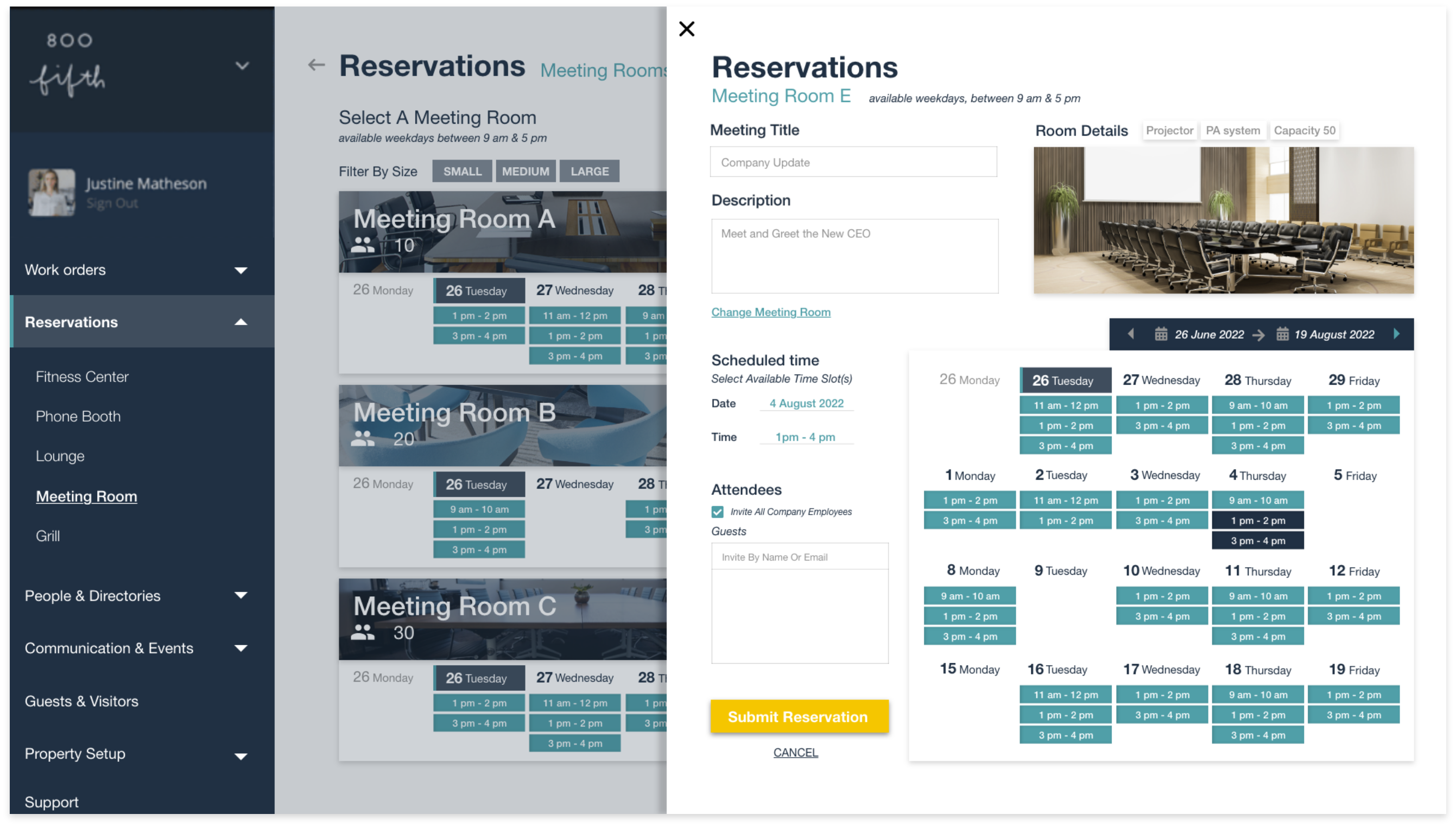
- 06Reservation Flowcove
Six-surface booking flow delivered · form + calendar built to high fidelity
- 07From Handoff to Shipping Codesupplyframe · fragments
UI fixes that waited years now ship in one release cycle
Code you can read.
- Enterprise Design System
A hand-authored HTML/CSS system for dense product UI: 10 components, 3 compositions, light, dim, dark and high-contrast modes, WCAG AA. Its documentation runtime is compiled from strict TypeScript.
Demo · See it live · GitHub
- Client Studio
A self-hosted app for one-person service businesses (coaches, trainers, tutors) to sell session packages, get paid, let clients book their own times, send newsletters, and see how their website is doing, all from a phone. Booking is safe when two clients reach for the same slot, availability holds across daylight-saving days, and the newsletter builder's live preview runs the same renderer that sends.
- Analytics Dashboard
Privacy-first web analytics you host yourself: a small tracking script and a login-protected dashboard. No cookies and no third-party scripts; a visitor ID is a keyed hash that changes every day, and the data lives in one SQLite file. Tracking a click takes no code, only one attribute on the link, button, or form.
- DesInspect
- mtgunited-mcp
The MCP server behind Magicians United, my full-stack side product, so AI agents can search and work with collection and deck data.
What the work shows.
- FIG. 012003 TO NOWIndependent2003In-house201320032013202620+YEARS
Design systems, product UI, and the brand work underneath. Independent practice since 2003; in-house and agency roles since 2013.
Experience - FIG. 02THREE TEAMSDose Loui6 STUDIOCane Bay3 DESIGNERSSupplyframe3 DESIGNERS3TEAMS LED
A studio of six at Dose Loui: two designers, two social media marketers, a photographer, and an SEO specialist. Three designers through fintech products at Cane Bay Partners. Two senior designers and a junior on the UX/UI team at Supplyframe, a Siemens company, since 2025, with interns every fall.
How I lead - FIG. 03LIVE, WITH CODEComponents10 DOCUMENTEDCompositions310COMPONENTS DOCUMENTED
A design system of his own with live examples and copy-pasteable code for every primitive, plus three compositions.
Design systems
Updated whenever a piece is worth showing. No mission statement, no manifesto, just the work, dated and captioned, and the smallest amount of context required to understand it.